
ArchyAgents: agent workflows your team can see and control
ArchyAgents is the workbench and user interface for the Archy AI Platform. Use it to design workflows, choose which agents take part and which tools and knowledge they can use, then edit, start and stop each workflow and see what every run did. Workflows can also be started through the platform API or MCP server.
For engineering, platform and operations leads taking agents from experiment to everyday work.
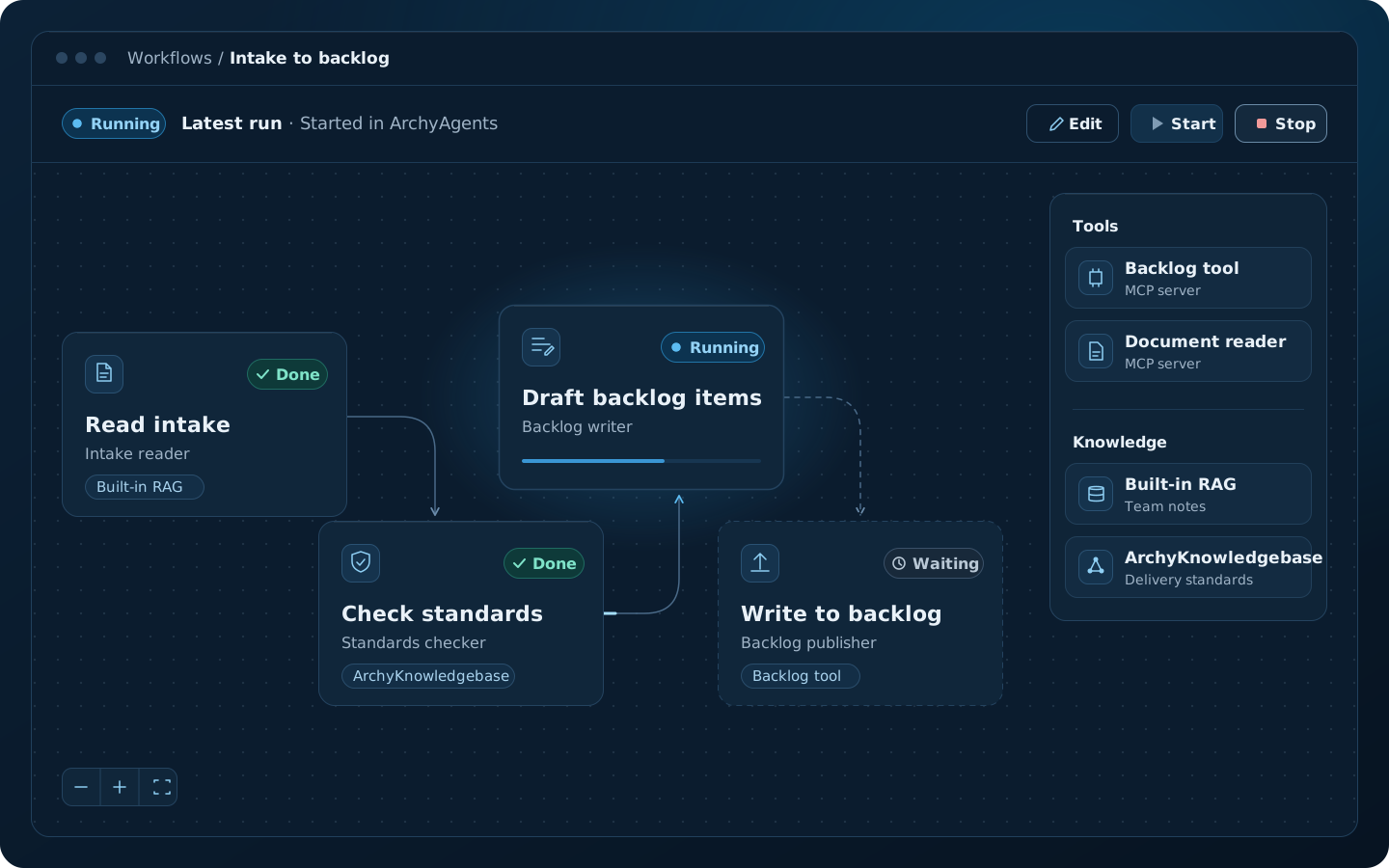
How it works
Four stages from idea to an operated workflow.
Define the workflow.
Describe the goal, the handoffs and the decisions before anything runs.
Connect tools, systems and knowledge.
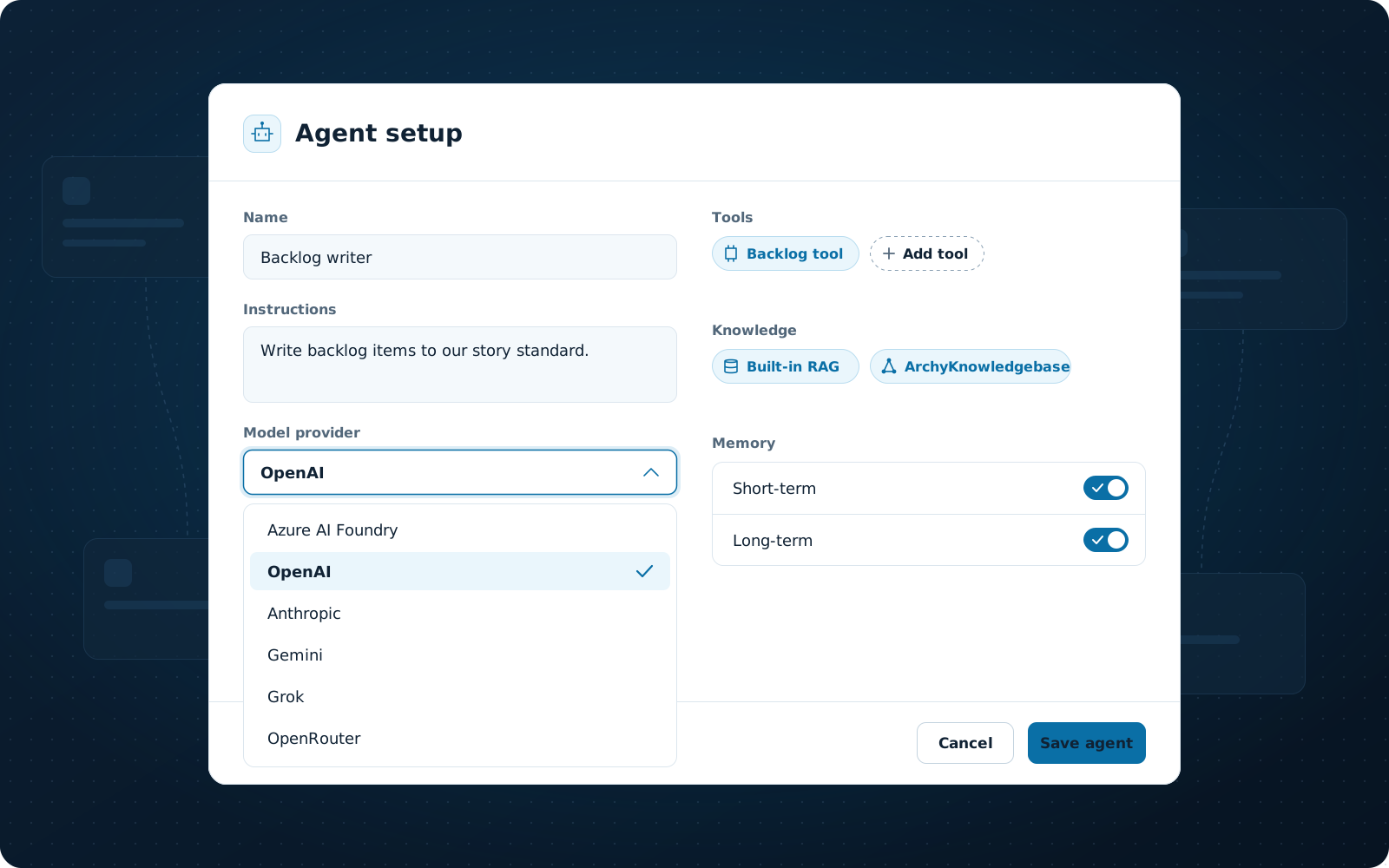
Give each agent the tools, MCP integrations, memory and knowledge it needs, and keep that boundary visible to the people responsible.
Start, stop and adjust.
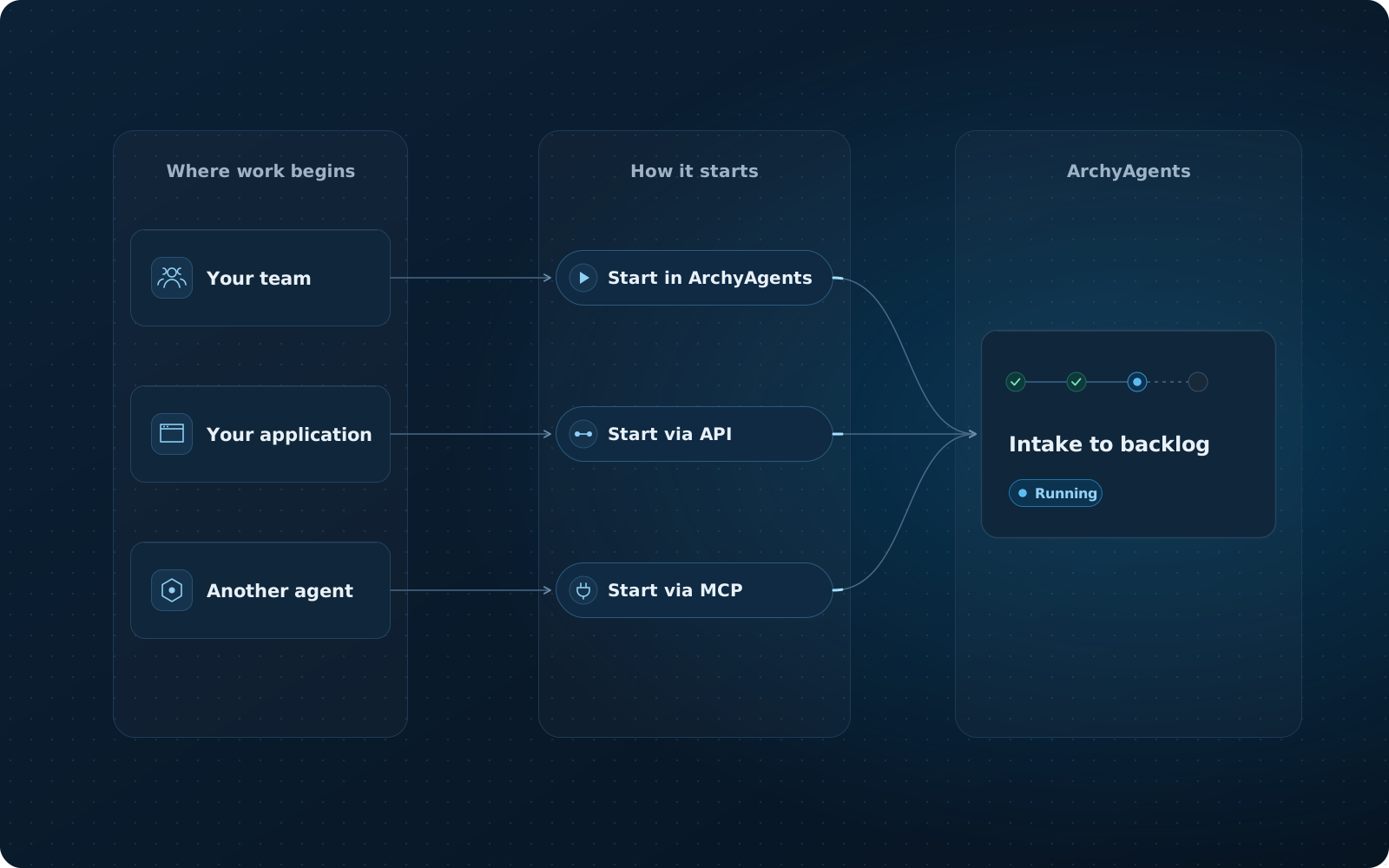
Start a workflow in ArchyAgents or through the platform API or MCP server, stop it when you need to, and edit it at any time.
Run, inspect and improve.
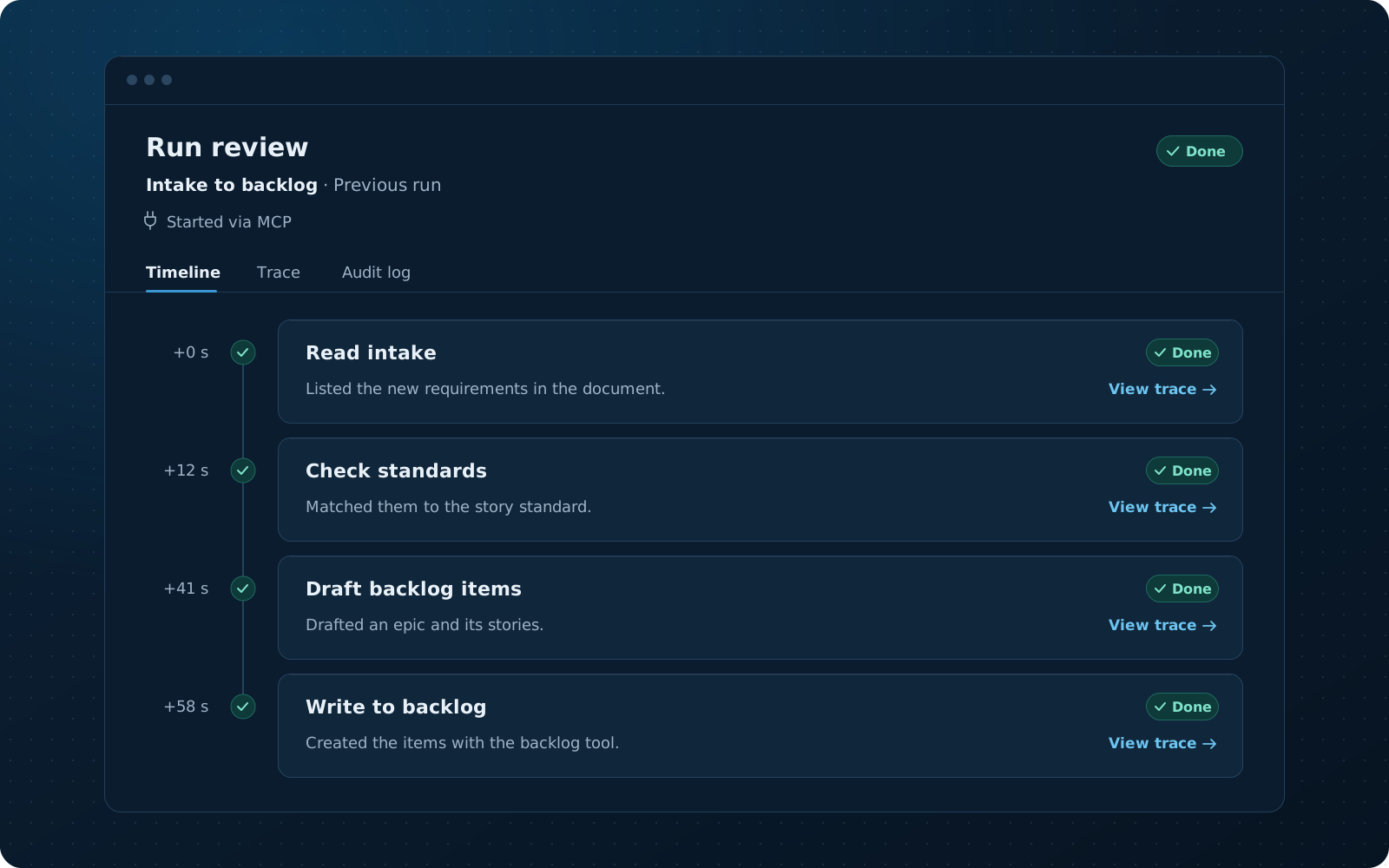
Follow what happened in each run and adjust the workflow where it fell short.
Capabilities
What the workbench is designed to cover.
ArchyAgents is the user interface to the agent and workflow services of the Archy AI Platform. Everything below is part of the workbench.
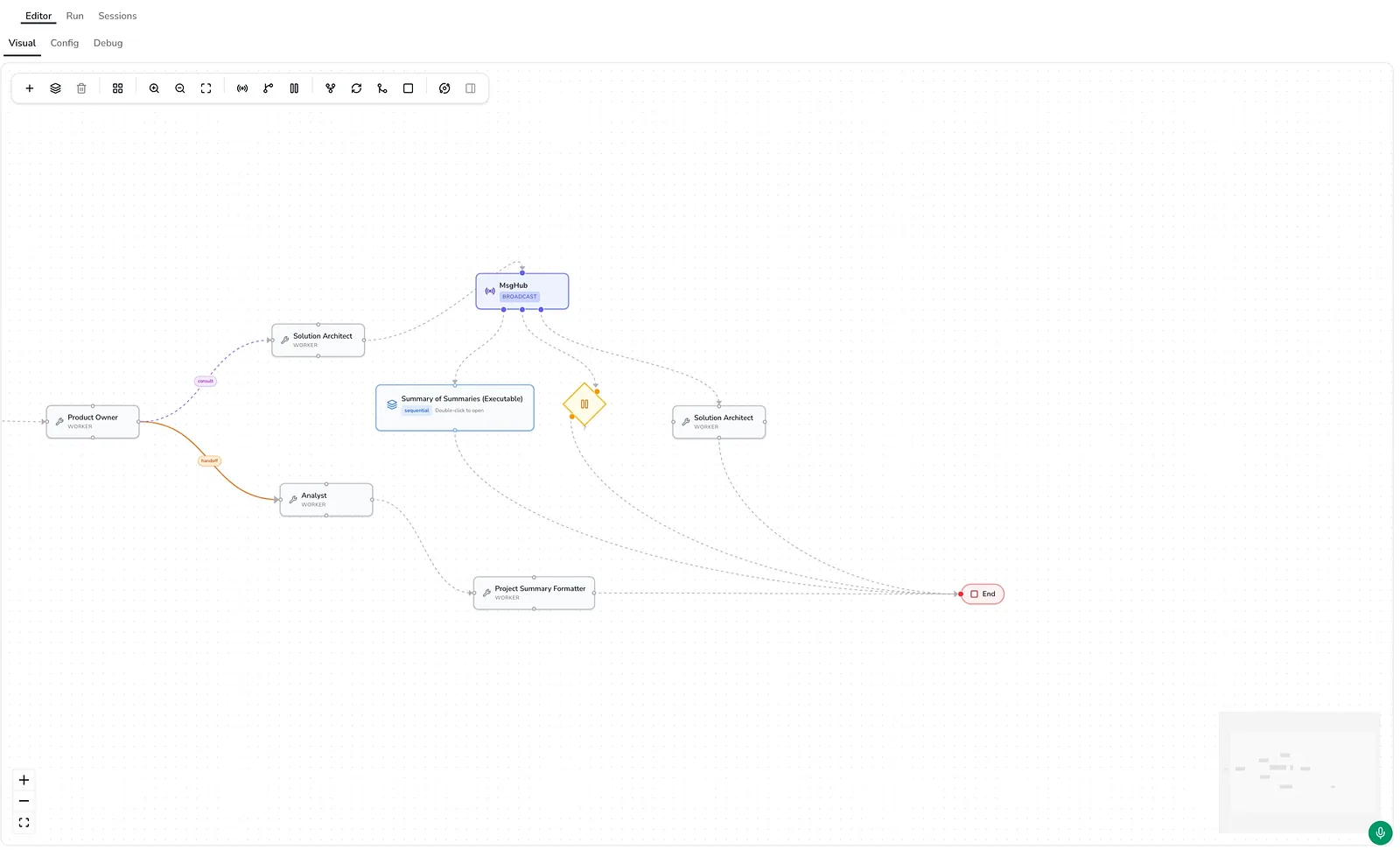
Workflow editor
Lay out the steps, agents and handoffs of a workflow before it runs.
Workflow control
Edit, start and stop workflows in ArchyAgents, and start them through the platform API or MCP server.
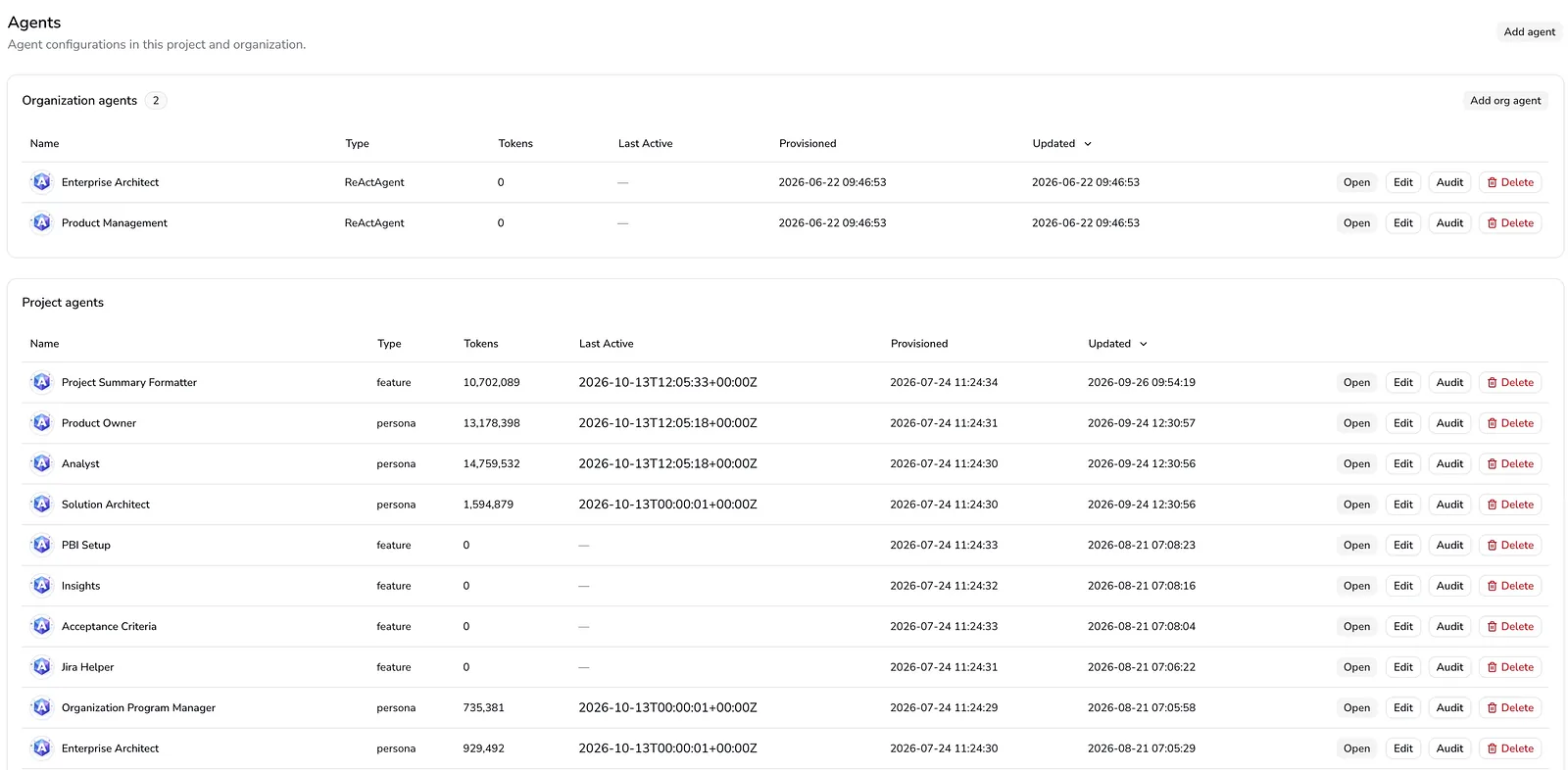
Agents
Give each agent one job in the workflow and pass its result to the next step.
Tools via MCP
Let agents use software tools through the Model Context Protocol.
Built-in RAG and knowledge management
Store information and let agents retrieve it with simple retrieval-augmented generation (RAG).
ArchyKnowledgebase
Give agents knowledge from many systems, structured so they understand concepts and relationships, and connect your own RAG systems or vector databases, through advanced RAG pipelines.
Agent memory
Short-term memory for the task in hand, and long-term memory that carries over.
Voice interface
Work with agents by voice.
Observability
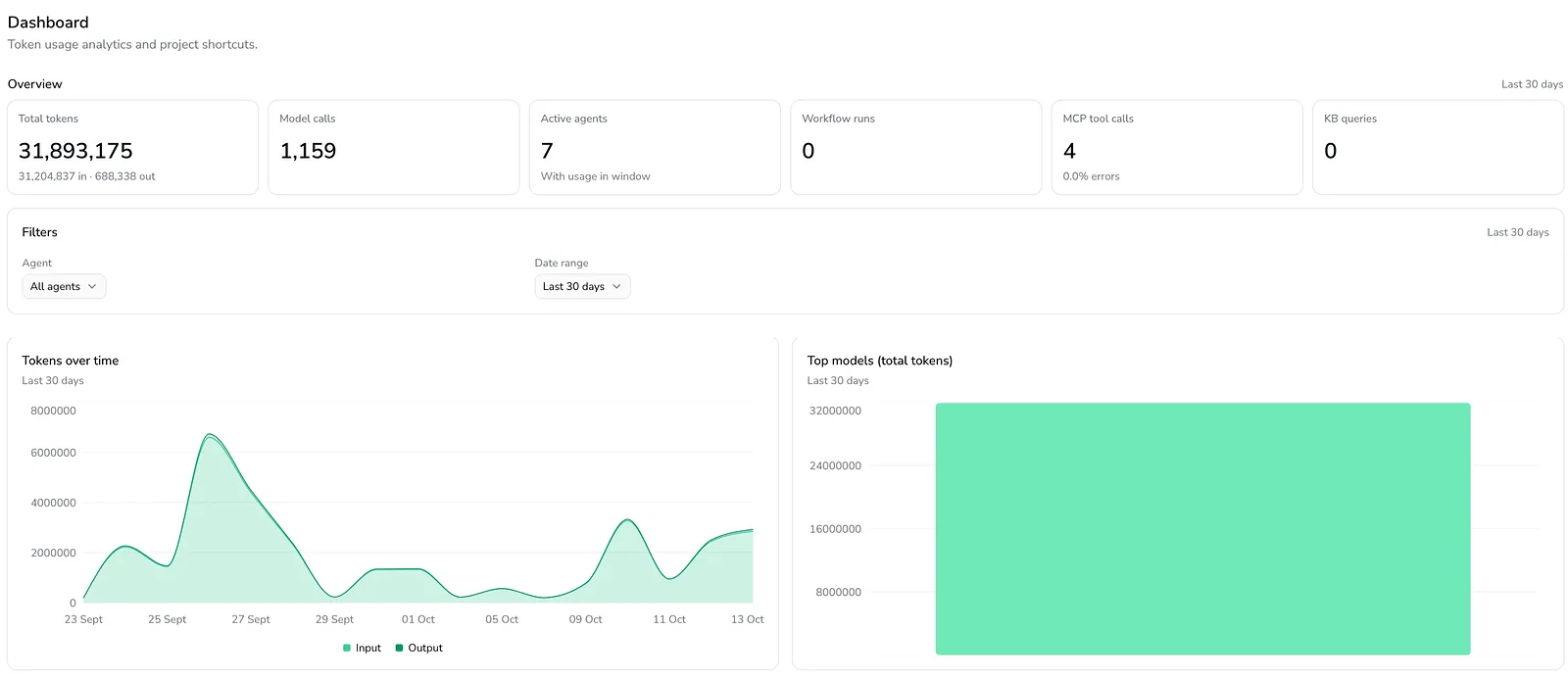
Trace each run, keep audit records, and look back over the history of workflow runs.
See ArchyAgents at work
In the ArchyAgents workbench: a workflow in the visual editor, the agents that run it and usage across them.
Inside the workbench
Illustrations of the ArchyAgents workbench: how a workflow is laid out, agents set up, runs reviewed and workflows started.
Part of the Archy AI Platform
The workbench and user interface for the platform.
The Archy AI Platform is about designing and operating AI workflows. ArchyAgents is where you do that: the workbench and user interface for the platform's agent and workflow services. Agents use the platform's built-in RAG and knowledge management, and can draw on ArchyKnowledgebase, the Data and Knowledge Platform, when knowledge comes from many sources or from RAG systems you already run. ArchyAgents is also where you manage the dedicated agents you create for ArchyAssistant workflows in Jira.
How ArchyAgents connects
- Built-in RAG and knowledge management for storing and retrieving information
- ArchyKnowledgebase for knowledge from many systems, mapped into concepts and relationships, including your own RAG systems
- The Archy AI Platform MCP server and OpenAPI, through which other agents and systems reach the platform and start workflows
- ArchyAssistant: dedicated agents for its Jira workflows, managed here
Enterprise
ArchyAgents in your own environment
For organisations that need it, ArchyAgents can be deployed as PaaS into your environment. Your data stays isolated from other customers, and the product can be customised to your processes and integrations. We scope each deployment with you.
- PaaS deployment into your environment
- Full data isolation
- Customisation for your processes and integrations
Frequently asked questions
Request access and tell us about the workflow you have in mind. We will come back to you with next steps, starting from that workflow.
ArchyAgents is the workbench and user interface for the Archy AI Platform, where you design your own agent workflows. ArchyPress and ArchySocial are products built on the platform, each focused on one kind of work: publishing and social content.
No. The platform has built-in RAG and knowledge management for storing and retrieving information. ArchyKnowledgebase, the Data and Knowledge Platform, is for when agents need knowledge from many systems and need to understand how concepts relate, not just find similar text.
Request access
Have a workflow in mind? Start there.
Describe the process, the tools involved and where people need to stay in control. We will tell you whether ArchyAgents fits today.
More from the Archy AI Platform
- Editorial publishing
ArchyPress
View ArchyPress - Social post studio
ArchySocial
View ArchySocial - Idea to product definition
ArchyStarter
View ArchyStarter - AI assistant for Jira
ArchyAssistant
View ArchyAssistant - Data and Knowledge Platform
ArchyKnowledgebase
View ArchyKnowledgebase