
ArchyAssistant: documented requirements and portfolio insight in Jira
New requirements usually arrive as documents, with gaps. ArchyAssistant takes them in, asks the questions that fill the gaps, and turns the answers into fully documented feature requests in Jira: backlog, architecture documents and clear requirements, written to your organisation's standards. Export PRDs and architecture documents to Confluence for the whole team. Across projects, ArchyAssistant turns Jira and Confluence changes into executive summaries, so leaders can follow the work as it speeds up.
For product owners, delivery and portfolio leads, and the executives who follow their work in Jira Cloud.
 Illustration
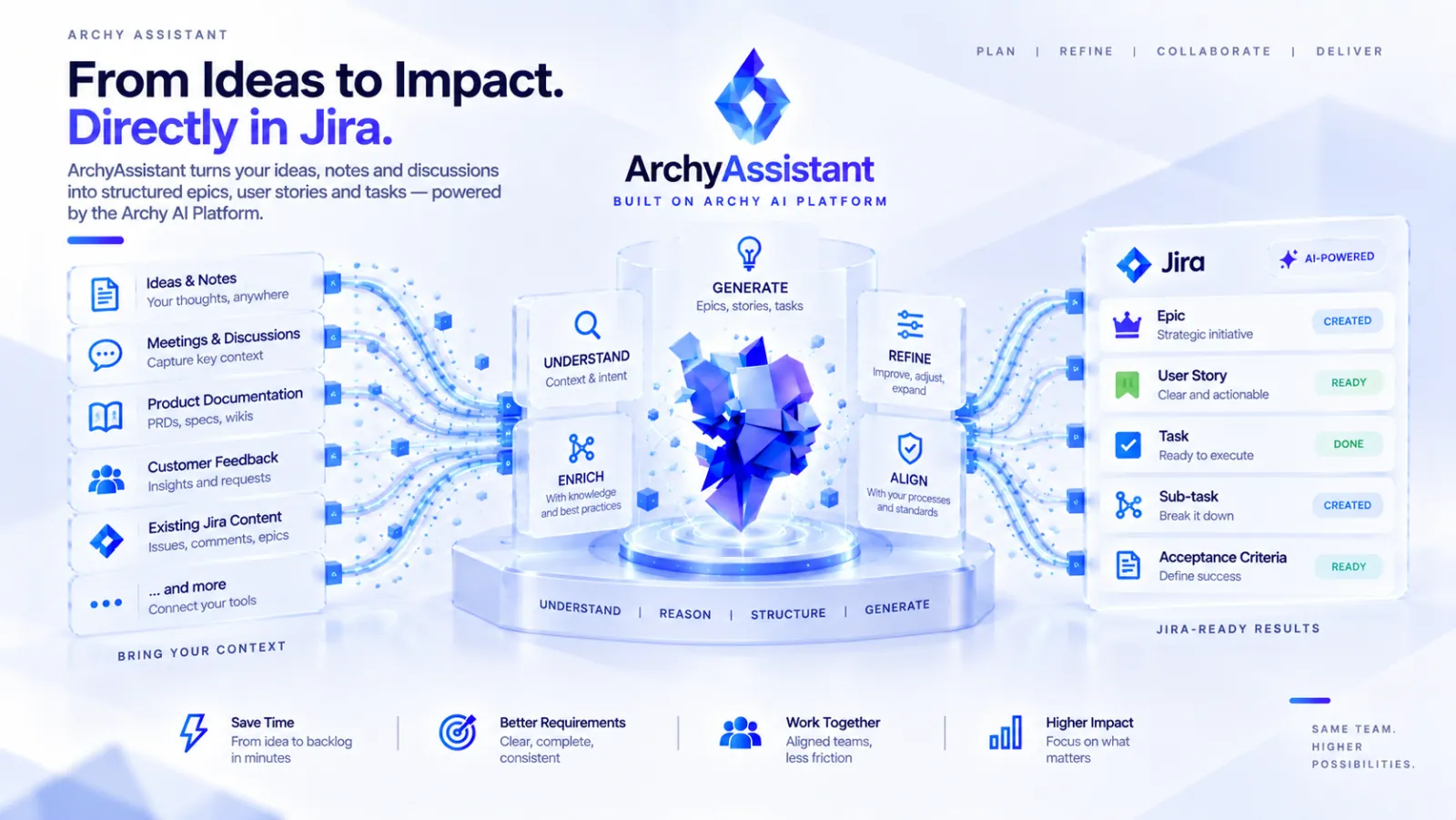
From Ideas to Impact. Directly in Jira. Inputs: Ideas and Notes, Meetings and Discussions, Product Documentation, Customer Feedback, Existing Jira Content. ArchyAssistant stages: Understand, Enrich, Generate, Refine, Align. Results in Jira: Epic, User Story, Task, Sub-task, Acceptance Criteria. Built on Archy AI Platform. Benefits: Save Time — from idea to backlog in minutes; Better Requirements; Work Together; Higher Impact.
How it works
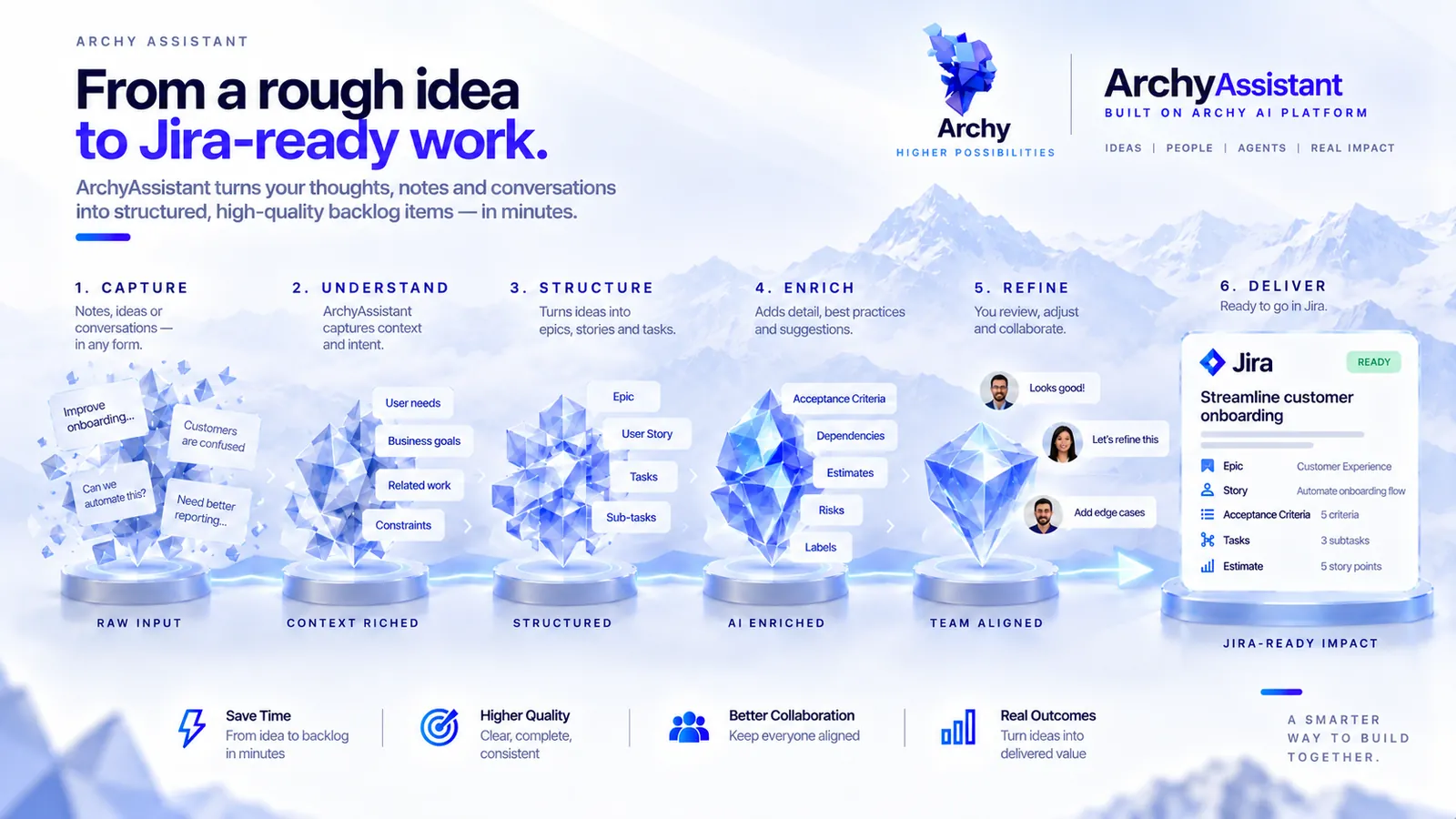
From an intake document to documented work in Jira.
Install and set your standards.
Add ArchyAssistant from the Atlassian Marketplace, then define how your organisation writes user stories, structures its backlog and what PRDs and solution architecture documents must contain.
Bring in the requirements.
Add an intake document with new requirements. Output from ArchyStarter can also flow into ArchyAssistant through the ArchyAssistant APIs.
Answer guided questions.
ArchyAssistant asks about what is missing or unclear, and builds on your answers.
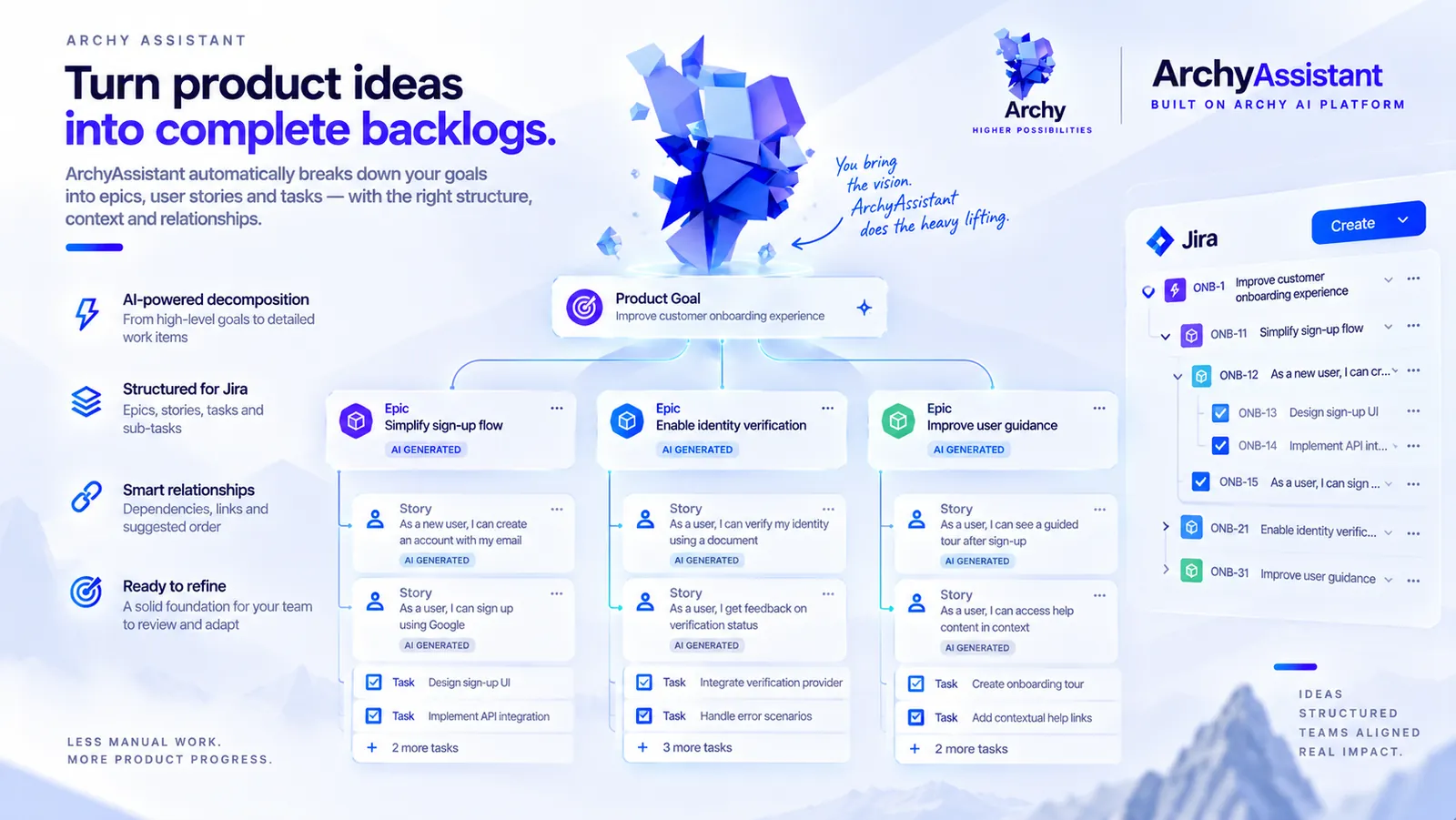
Get fully documented feature requests.
Backlog items, architecture documents and clear requirements, written to your standards. Export PRDs and architecture documents to Confluence.
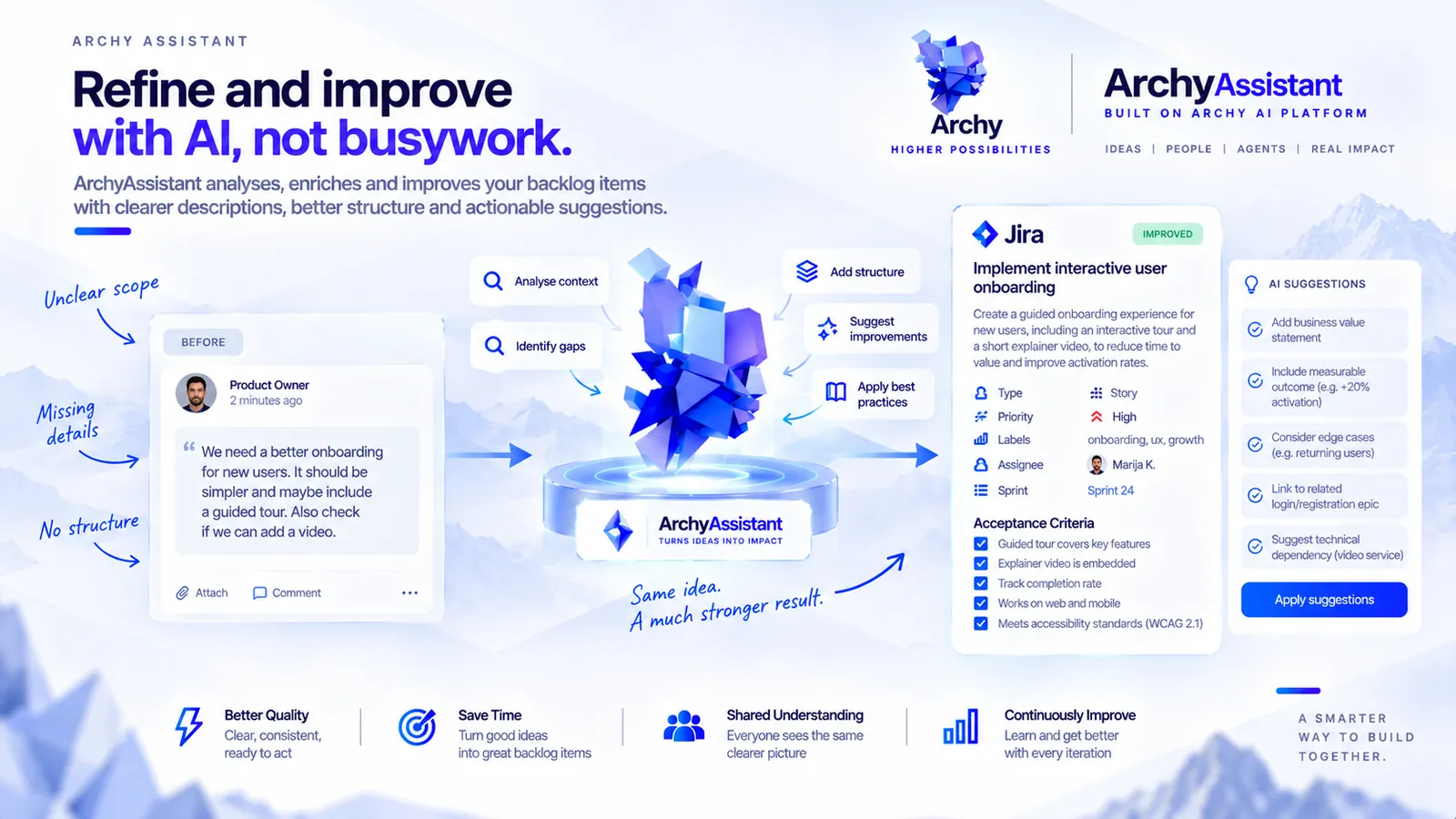
Refine individual items.
Refine, split and improve stories and epics so they meet the same standards.
Follow progress across projects.
Read executive summaries for each project and for the whole organisation, built from Jira and Confluence changes.
Capabilities
From intake to portfolio, to your standards.
Guided intake
Process intake documents with new requirements and develop them through guided questions and answers.
Fully documented feature requests
Get backlog items, architecture documents and clear requirements for every feature request.
Export to Confluence
Export PRDs and architecture documents to Confluence, where the wider team already reads and reviews documentation.
Connection with ArchyStarter
ArchyStarter output can flow into ArchyAssistant through the ArchyAssistant APIs.
Your governance standards
Set your user story style, backlog structure, and what PRDs and solution architecture documents contain. Outputs follow them.
Story and epic refinement
Refine, split and improve individual stories and epics to your standards.
Portfolio tracking
Track progress across multiple projects, with executive summaries at project and organisation level.
Activity summaries and change history
Combine Jira and Confluence changes into clear activity summaries and a change history, so you can keep up as AI coding agents speed up change.
Dedicated agents
Create agents for these workflows. They run on the Archy AI Platform, are managed in ArchyAgents and can connect to ArchyKnowledgebase for knowledge tailored to your organisation.
See it in Jira
ArchyAssistant at work, from new requirements to a documented, well-kept backlog in Jira.

Recognition
2024 Atlassian Customer Choice Award
In March 2024, Atlassian announced the winners of its Customer Choice Awards for Codegeist Unleashed apps, voted for by the Atlassian Community. ArchyAssistant, then listed as Archy AI Assistant, won Best Data-Driven Insight App. The award recognised the earlier version of the app; the current release is a rewrite on Atlassian Forge.
Part of the Archy AI Platform
Built for Jira, connected to the Archy AI Platform.
ArchyAssistant is a Jira app built on Atlassian Forge and on the Archy AI Platform. When you want more, create dedicated agents for its workflows: they run on the Archy AI Platform, you manage them in ArchyAgents, and they can connect to ArchyKnowledgebase for knowledge retrieval tailored to your organisation. ArchyStarter, a standalone application, turns an idea into an initial product definition, and its output can flow into ArchyAssistant through the ArchyAssistant APIs. You install and use ArchyAssistant from Jira; the other Archy products are optional.
How ArchyAssistant connects
- Jira Cloud, as an Atlassian Forge app from the Atlassian Marketplace
- Confluence: export PRDs and architecture documents
- Jira and Confluence changes, combined into activity summaries and change history
- ArchyStarter: its output flows in through the ArchyAssistant APIs
- ArchyAgents: manage the dedicated agents for your ArchyAssistant workflows
- ArchyKnowledgebase: tailored knowledge retrieval for those agents
Enterprise
ArchyAssistant in your own environment
For organisations that need it, ArchyAssistant can be deployed as PaaS into your environment. Your data stays isolated from other customers, and the product can be customised to your processes and integrations. We scope each deployment with you.
- PaaS deployment into your environment
- Full data isolation
- Customisation for your processes and integrations
Support
Need help with ArchyAssistant?
For questions, feedback or issues, contact our support team.
Frequently asked questions
Jira Cloud. ArchyAssistant is a Jira app built on Atlassian Forge; install it from the Atlassian Marketplace.
Intake documents with new requirements. ArchyAssistant then asks guided questions to fill the gaps before it documents the feature request. Output from ArchyStarter can also flow in through the ArchyAssistant APIs.
Yes. Export PRDs and architecture documents to Confluence, so the wider team can read them where they already work.
Yes. You set your user story style, backlog structure and what PRDs and solution architecture documents must contain. ArchyAssistant writes new items to those standards, and can refine, split and improve existing stories and epics to match.
It combines Jira and Confluence changes into activity summaries, a change history and executive summaries at project and organisation level. That matters more as AI coding agents speed up change.
Yes. The two integrate through the ArchyAssistant APIs, so output from ArchyStarter can flow into ArchyAssistant.
Yes. Dedicated agents run on the Archy AI Platform, are managed in ArchyAgents and can connect to ArchyKnowledgebase for knowledge tailored to your organisation.
Pricing is shown on the Atlassian Marketplace listing.
Yes, through an enterprise deployment. Talk to us about your setup.
Get started
Turn your next requirements document into documented work.
Install ArchyAssistant from the Atlassian Marketplace, set your standards and bring in your first intake document.
More from the Archy AI Platform
- Workbench and user interface
ArchyAgents
View ArchyAgents - Editorial publishing
ArchyPress
View ArchyPress - Social post studio
ArchySocial
View ArchySocial - Idea to product definition
ArchyStarter
View ArchyStarter - Data and Knowledge Platform
ArchyKnowledgebase
View ArchyKnowledgebase