
Solution · Content operations
From one brief to published articles and social posts
Content has to go out every week, on brand, on every channel, and most of it is still written and rewritten by hand. With ArchyPress and ArchySocial, one brief becomes a polished article and a batch of social posts. AI helps at each step. Your editors decide what is published, and your team approves posts before they go out.
Before and after
What changes in the content work.
| The work | Today | With Archy |
|---|---|---|
| First drafts | Every article starts from a blank page. | ArchyPress drafts outlines, structured drafts and rewrites from your brief. |
| Existing content | Years of posts and pages sit in an old WordPress site. | Import WordPress posts, pages and media into ArchyPress, and review them before publishing. |
| Several sites or brands | Each site runs on its own tool, with its own settings. | Run each site in its own ArchyPress workspace, with its own site settings, navigation and published experience. |
| What goes live | Changes appear on the live site before anyone has seen them in place. | Preview every post and page as it will appear, then choose what ships. |
| Social posts | Written one by one, network by network, and drifting off brand. | ArchySocial drafts a batch of captions, images and short video for each network, in your brand voice and visual style. |
| Sign-off | Posts go out before the right person has seen them. | Your team reviews the batch with roles and approvals, and only approved posts are published. |
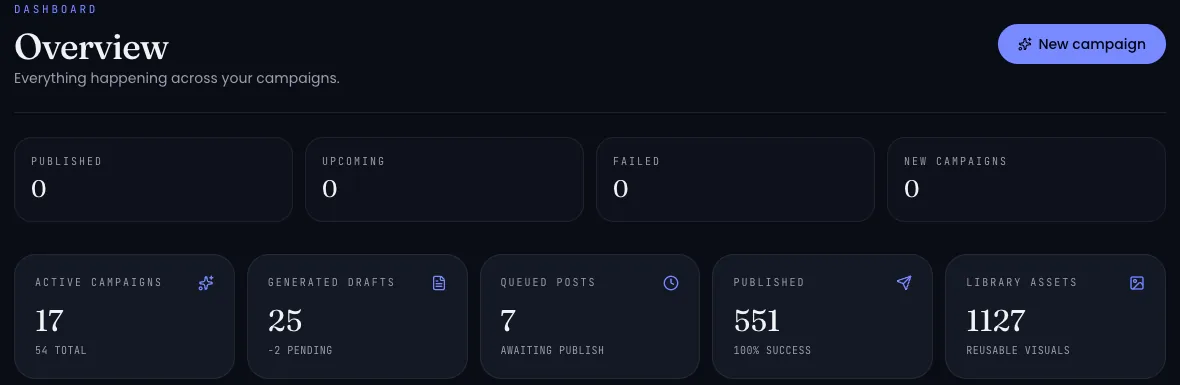
| Results | Performance data is scattered across network dashboards. | Post analytics, engagement tracking and a weekly digest in ArchySocial. |
| Automation | Every step needs someone at a keyboard. | AI agents can prepare drafts in ArchyPress through its MCP server and publisher API, and manage campaigns and posts in ArchySocial through MCP. |
First drafts
Today
Every article starts from a blank page.
With Archy
ArchyPress drafts outlines, structured drafts and rewrites from your brief.
Existing content
Today
Years of posts and pages sit in an old WordPress site.
With Archy
Import WordPress posts, pages and media into ArchyPress, and review them before publishing.
Several sites or brands
Today
Each site runs on its own tool, with its own settings.
With Archy
Run each site in its own ArchyPress workspace, with its own site settings, navigation and published experience.
What goes live
Today
Changes appear on the live site before anyone has seen them in place.
With Archy
Preview every post and page as it will appear, then choose what ships.
Social posts
Today
Written one by one, network by network, and drifting off brand.
With Archy
ArchySocial drafts a batch of captions, images and short video for each network, in your brand voice and visual style.
Sign-off
Today
Posts go out before the right person has seen them.
With Archy
Your team reviews the batch with roles and approvals, and only approved posts are published.
Results
Today
Performance data is scattered across network dashboards.
With Archy
Post analytics, engagement tracking and a weekly digest in ArchySocial.
Automation
Today
Every step needs someone at a keyboard.
With Archy
AI agents can prepare drafts in ArchyPress through its MCP server and publisher API, and manage campaigns and posts in ArchySocial through MCP.
How it works
One brief, two channels, one team in charge.
Write the brief once.
The campaign, the audience and the key message.
Draft the article.
ArchyPress turns the brief into an outline and a structured draft. Refine it with AI and add images or video next to the text.
Preview and publish.
See the page as it will appear, then publish it to the right site.
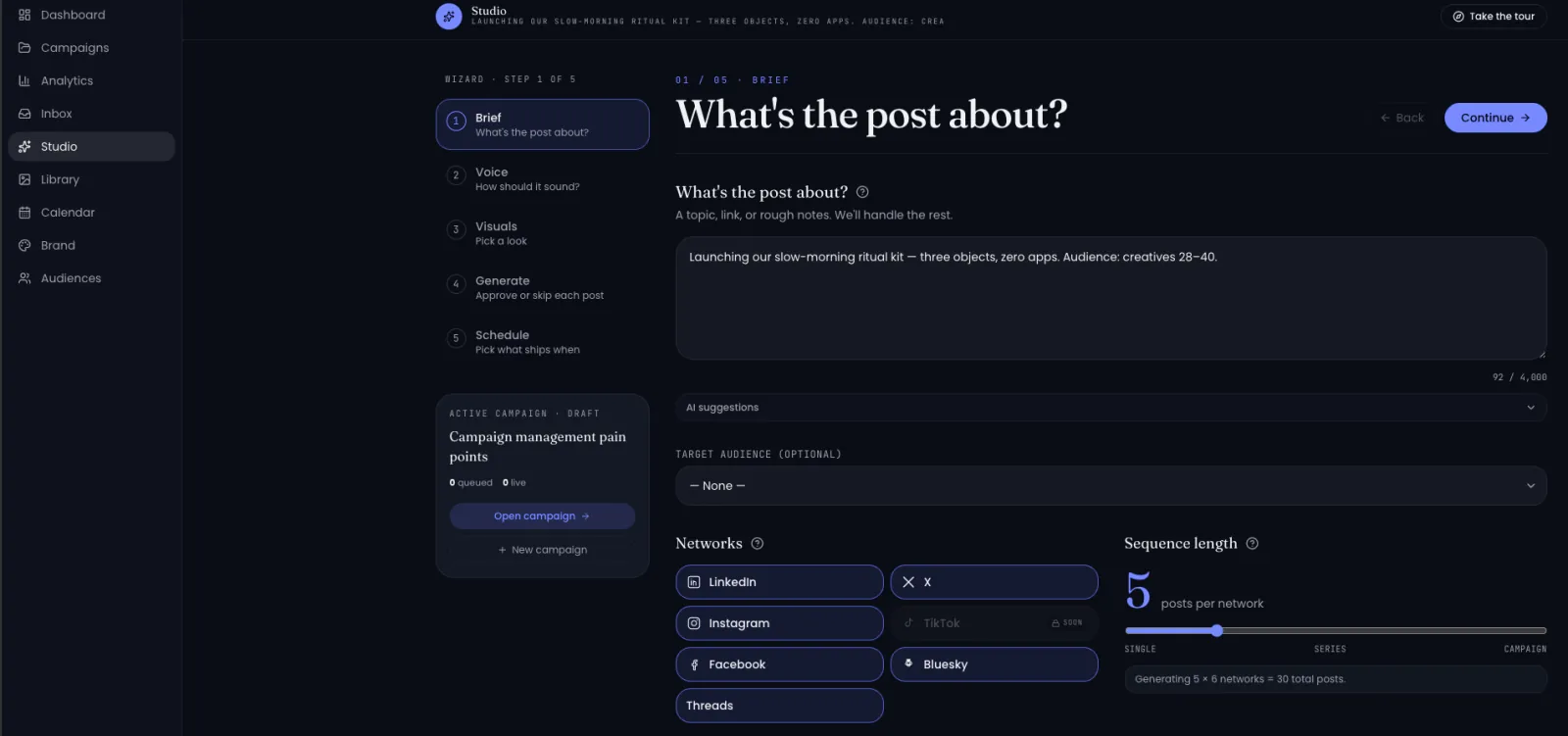
Generate the social batch.
ArchySocial drafts posts for each connected network, with captions, images and short video in your brand voice.
Approve and publish.
Your team edits, approves or rejects posts. Approved posts go out to LinkedIn, X, Bluesky, Facebook, Instagram and Threads.
Learn and repeat.
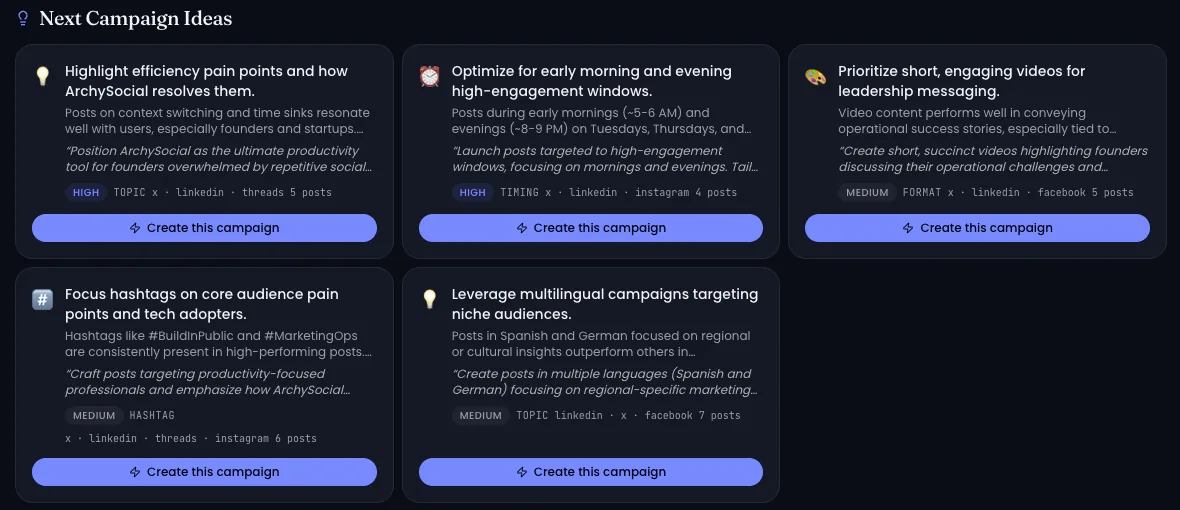
Read post analytics and the weekly digest, and shape the next brief.
The social lane, in practice
How ArchySocial turns one brief into a planned batch of posts your team can follow across networks.
Who and what is involved
The people, AI, tools and brand knowledge behind the work.
People
- Content leads and editors write briefs, shape drafts and decide what is published.
- Social media managers generate and refine the social batch.
- Team members with approval rights approve posts before they go out.
AI and agents
- AI drafting, outlines and rewrites in ArchyPress.
- AI captions, images and short video in ArchySocial.
- Your own AI agents, through the ArchyPress MCP server and publisher API and through MCP in ArchySocial.
Tools
- ArchyPress workspaces for each site, with preview before publishing.
- ArchySocial, connected to LinkedIn, X, Bluesky, Facebook, Instagram and Threads.
- WordPress import, to bring existing content into ArchyPress.
Knowledge
- Your brand voice and visual settings in ArchySocial.
- Your brief, and the existing content you import from WordPress.
Example
One brief, followed through.
Illustrative example
Input (the brief)
“Our new customer portal opens on 1 March. Explain what changes for existing customers, how to sign in for the first time and where to get help. Tone: clear and reassuring.”
Output in ArchyPress
An article with a headline, outline and structured draft, an image placed next to the section it illustrates, previewed and published to the customer site.
Output in ArchySocial
A batch of posts for LinkedIn, X and Instagram, each with its own caption and image in your brand voice, waiting for your team's approval before they are published.
Example for illustration. Your brief, brand settings and connected networks shape the result.
Products involved
The Archy products behind this solution.
- Editorial publishing
ArchyPress
AI-assisted drafting, WordPress import, preview before publishing, a workspace per site, and an MCP server for AI agents.
Explore ArchyPress Visit ArchyPress (external site) - Social post studio
ArchySocial
On-brand batches of captions, images and short video, team approvals before publishing, six networks and post analytics.
Explore ArchySocial Visit ArchySocial (external site) - Workbench and user interface
ArchyAgents
For teams that want their own agent workflows around content, connected to ArchyPress and ArchySocial through MCP.
Explore ArchyAgents
Before you start
What to have in place.
- A brief for the next campaign or announcement.
- Your brand voice and visual guidelines, to set up in ArchySocial.
- Access to the social accounts you want to connect.
- If you are moving from WordPress, access to the content you want to import.
Frequently asked questions
No. Each works on its own. Use ArchyPress for articles and pages, ArchySocial for social posts, or both for the full flow.
No. In ArchyPress, editors preview the page and decide what is published. In ArchySocial, your team approves posts before they go out.
LinkedIn, X, Bluesky, Facebook, Instagram and Threads.
Yes. Each ArchyPress workspace has its own site settings, navigation and published experience.
Yes. Agents can prepare drafts in ArchyPress through its MCP server and publisher API, and create and manage campaigns and posts in ArchySocial through MCP.
On each product's site: meet.archy-ai.com for ArchyPress and archy-social.archy-ai.com for ArchySocial.
Yes, through an enterprise deployment: PaaS in your environment, with full data isolation and customisation.
Content operations
Bring your next brief to a walkthrough.
Show us how content moves from idea to publication today, and the sites and networks you publish to. We will show you the same brief in ArchyPress and ArchySocial.
Other solutions
New requirements arrive as documents full of gaps.
Turn them into fully documented feature requests in Jira, written to your standards, with summaries leaders can follow.
Explore software deliveryProducts involved: ArchyAssistant · ArchyAgents · ArchyKnowledgebase
The answer exists, but it is spread across files, databases and storage.
Bring it together as structured knowledge your agents can use in real workflows.
Explore knowledge to actionProducts involved: ArchyKnowledgebase · ArchyAgents
You have an idea, but no product definition yet.
Describe it and receive documentation, goals, OKRs, KPIs, a sample backlog and a proposed architecture by email.
Explore ArchyStarterProducts involved: ArchyStarter